Your digital reception – reachable at any time without manual effort

AIRAdoc integrates directly into your website and accepts structured patient inquiries 24/7. Inquiries are securely recorded, pre-qualified, and forwarded to the responsible staff members. Featuring clear areas of responsibility, real-time updates, and a patient portal for ongoing conversations.
For practices, clinics, therapists, pharmacies, and healthcare facilities.

Book a demo

The AIRAdoc widget for a family clinic showing the inquiry topics appointments, urgent care, prescription refill, and billing question

Two tools. One workflow.

Widget on the website and patient portal.

  • Virtual Reception

    Patients on your website – Identify themselves, fill out clinic-defined forms, and submit requests using an embeddable widget.

  • Secure Messaging

    Your team and patients – Forwards submissions to message threads, manages them in the reception area, and continues the conversation in the patient portal.

Benefits

  • Fewer phone calls for routine inquiries
  • Clear assignee for each thread
  • No retyping – form data flows directly into the thread
  • Asynchronous for patients, real-time for staff

From the website inquiry
to the assigned employee thread

  1. Widget

    Patient opens launcher

  2. Identify

    Name, date of birth, email

  3. Form

    Structured request

  4. Reception

    New thread

  5. Confirm

    Responsible employee

  6. Archive

    Close when done

Your practice on the web, around the clock

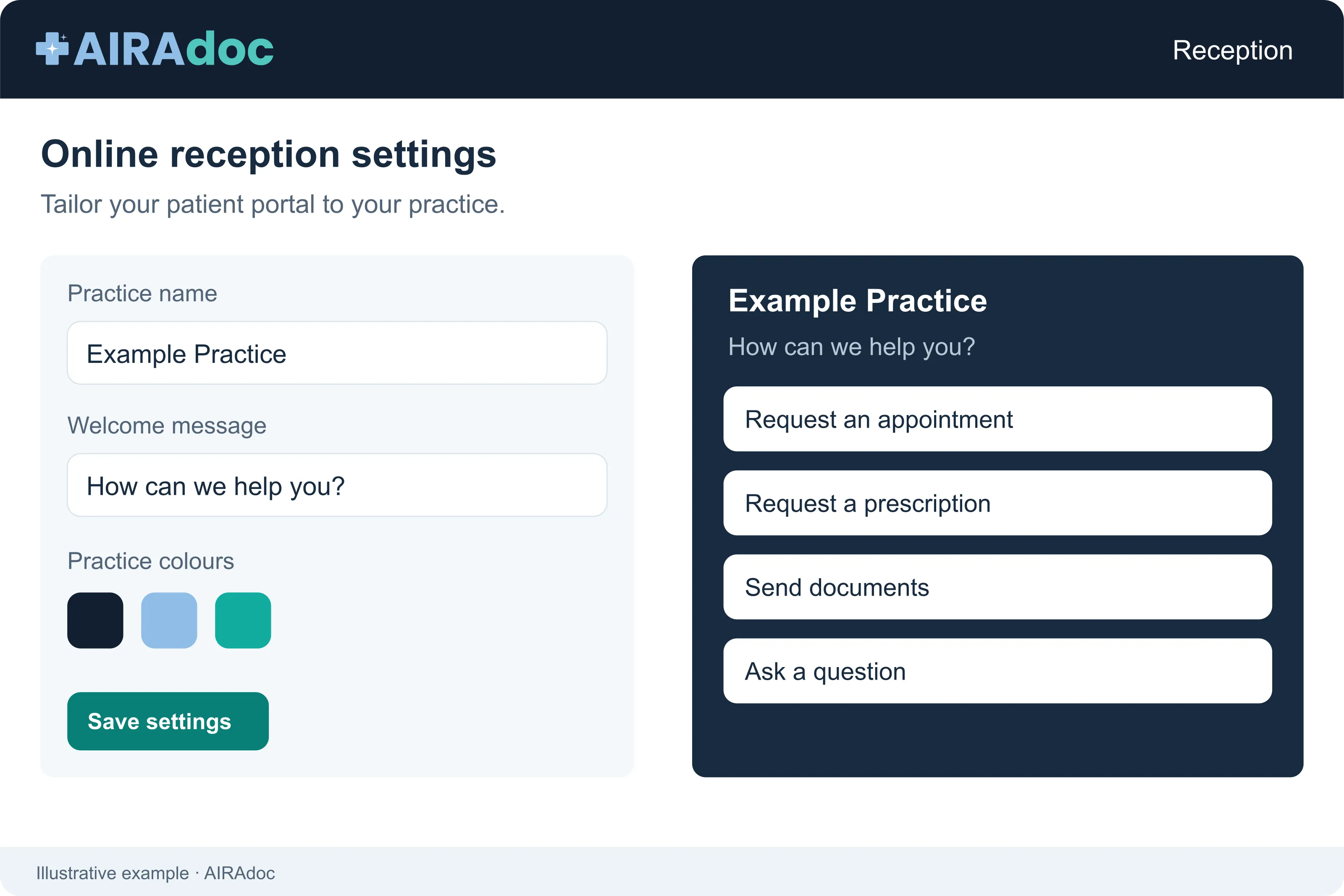
An embeddable digital reception desk on your website. Patients click on a branded launcher, select an inquiry type, identify themselves, and fill out the form you created.

The widget settings with the form list, appearance options, and a live preview of the reception widget
  • Embeddable website widget with script snippet, fixed-position launcher, iFrame widget, and enable/disable control in the settings.
  • Brand experience with launcher text, heading, service line, colors, border radius, and organization logo.
  • News and information buttons for forwarded Secure Messaging threads or purely informative resources.
  • Clinic-defined forms with text, email, phone, date, dropdown, radio, checkbox, file upload, headings, downloads, and video.

Efficiency: Patients use self-service outside of opening hours; employees receive structured submissions instead of voicemail.

Set up with the AIRAdoc agent

The AIRAdoc agent is available on every page of the app — help with setting up and customizing your Virtual Reception, no custom development needed.

AIRAdoc agent channel builder showing the Appointment Request form with its fields and a live preview of the resulting widget
  • Buttons and forms — the agent creates and configures widget content.
  • Resources and appearance — adds PDFs, images, and videos, and adjusts colors and logo.
  • Embed code — walks you through installation step by step.

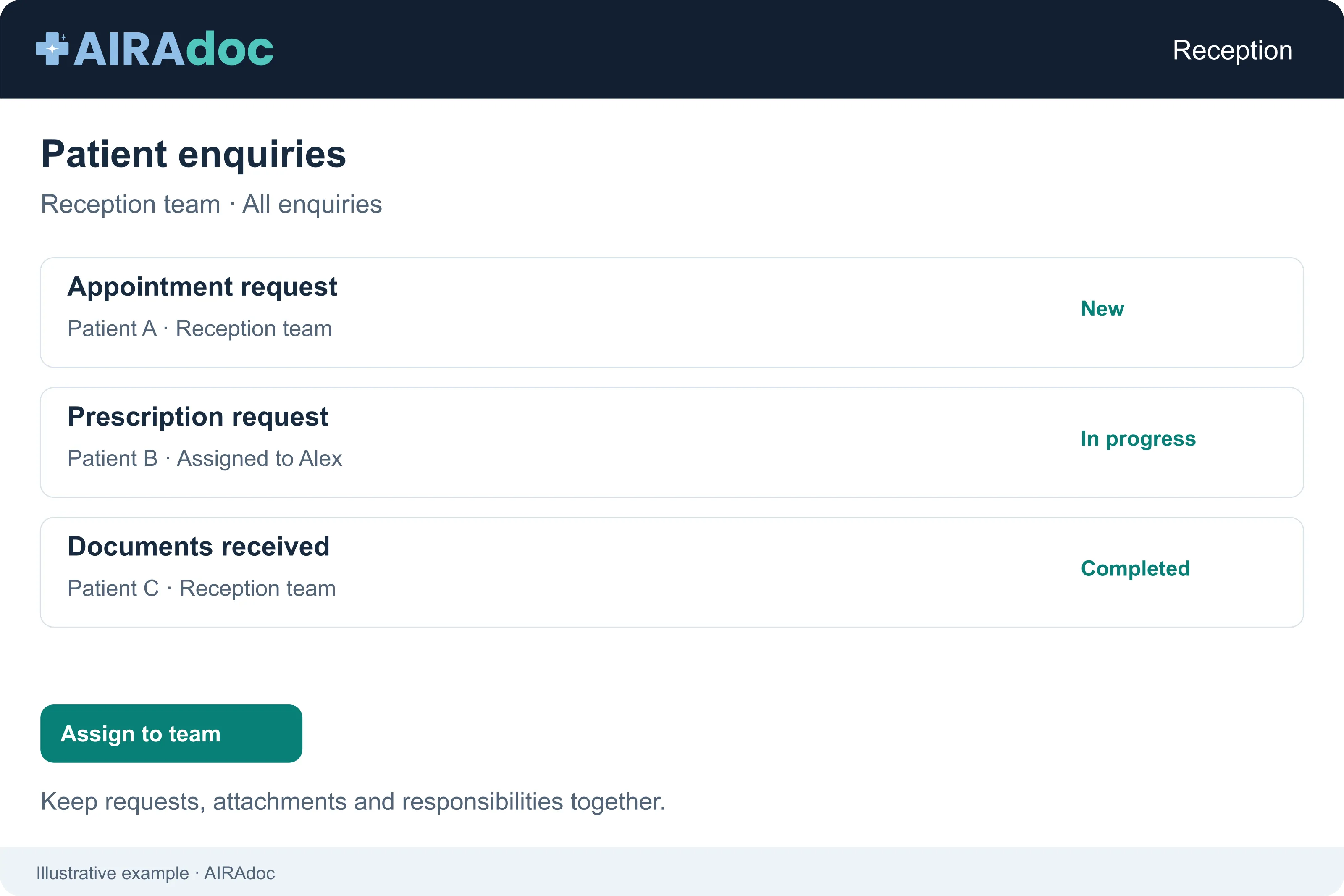
Every patient inquiry, tracked and assigned

Database-based messaging for healthcare: patient-linked, auditable, routed to the right people, and designed for asynchronous patient communication.

The reception inbox with new, active, and team views and an open appointment-request thread
  • Employee reception inbox with new, active, team, and archive views.
  • Responsibility workflow – verification sets a new thread to active and makes the verifier responsible.
  • Team actions for forwarding, re-classifying, adding a colleague or activating an observer.
  • Attachments and read tracking for staff and patient visibility.

Efficiency: No email chaos in shared mailboxes; every request has an assignee and a history.

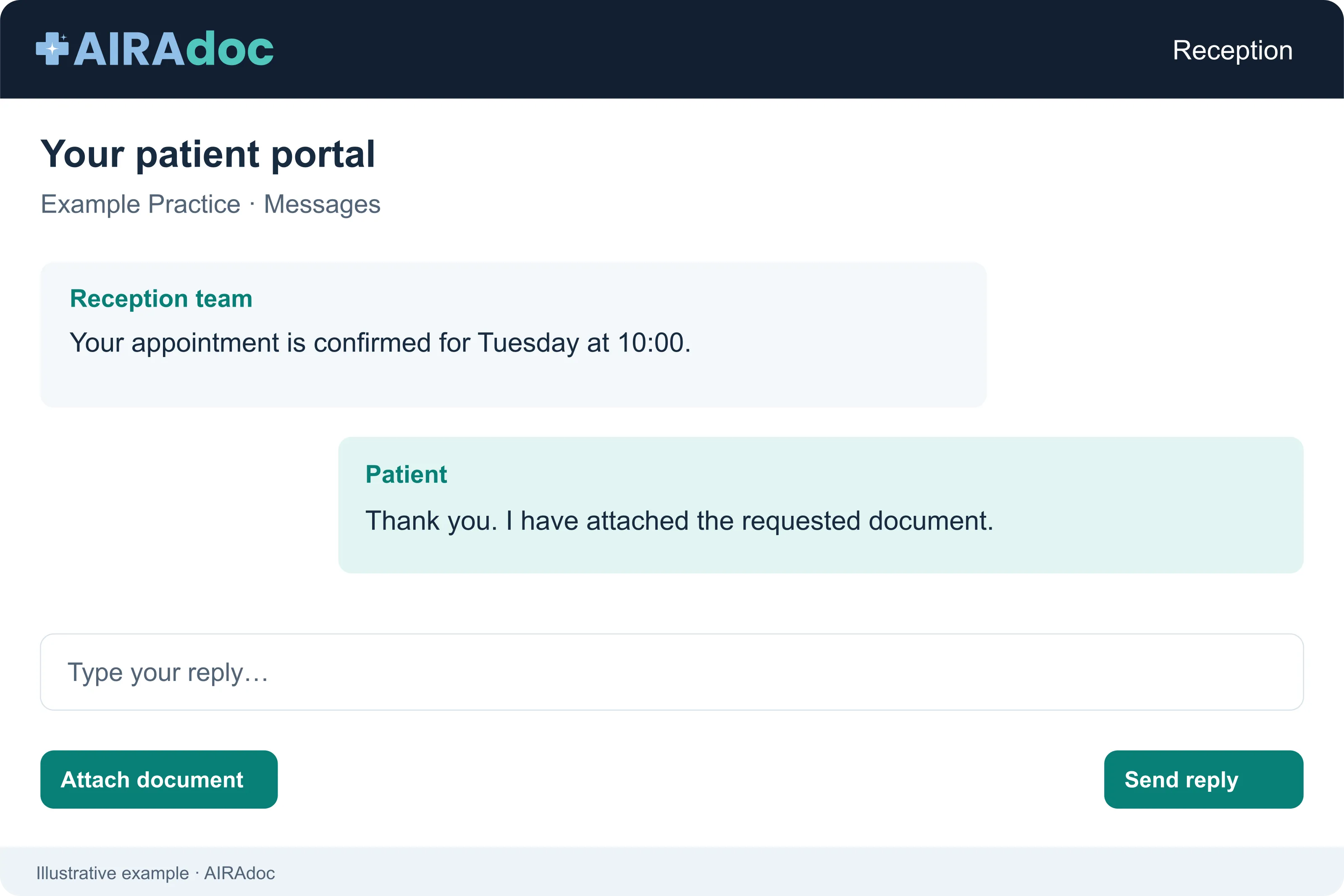
Ongoing conversation, no app installation required

Patients access secure messaging via the portal: view threads, start a conversation by topic, reply, attach files, upload documents, and manage profile settings.

The patient portal with message threads, an appointment request, and a prescription renewal
  • Portal conversations will continue after a submission via the Virtual Reception.
  • Document uploads can notify employees by topic.
  • Organization-branded messages show patients the clinic name and logo, while the sender names are preserved in the staff view.

Patient topics automatically forward the work

Configure topics such as appointments, prescriptions, billing, documents, or urgent questions. Widget message buttons and patient portal conversations use the same routing.

  • Appointments → Reception

    Name, patient-provided description, and assigned staff or group.

  • Prescriptions → Care

    Prescription requests are forwarded to the people who can process them.

  • Billing → Management team

    Financial inquiries bypass queues and go straight to the right team.

Efficiency: Prescriptions to care, billing to administration – automatically.

Clear work queues for each patient thread

Badge counts, filters, ownership, and live updates keep front desk and clinical teams in sync without manual refreshing or forwarding email chains.

  • New

    Patient-initiated threads waiting for the first action.

  • Active

    Threads assigned to the currently active processor.

  • Team

    Threads where an employee is participating as an observer.

  • Archived

    Closed threads with locked replies until they are unarchived.

  • Employee-initiated

    Start a patient-linked thread from the patient record by topic.

  • Patient records

    Search for demographic data, documents, uploads, invitations, and account management.

Start quickly, continuously refine

Quick-start templates, a resource library, embed code, and the AIRAdoc agent help owners build a sophisticated reception experience without custom development.

  • Quick-start templates

    Appointment request, appointment cancellation, new patient, general inquiry, prescription renewal, billing questions, and medical records in English and German.

  • Resource library

    Upload PDFs, images, and videos for downloads or embedded videos in forms.

  • Embed code

    Copy a script snippet before the closing body tag and then activate the launcher in the settings.

Provide a structured path for routine inquiries

  • Line busy

    Structured web forms, available around the clock.

  • No assignee

    Forwarded threads with an active assignee.

  • Re-enter details

    Identification and form data flow into the thread.

  • Who is taking care of it?

    Workflow from New to Active to Archived.

  • Files scattered

    Attachments linked with the patient file.

  • Slow start

    Quick-start templates plus the AIRAdoc agent.

Give patients a better entrance. Give your team a clearer path forward.

Virtual reception transforms website inquiries into assigned, structured, secure message threads.

Book a demo